Consistent sections
Present experience, skills and education in a shared structure across candidate profiles.
Company-format candidate CVs
Generate a consistent PDF from a structured candidate profile using your organisation’s visual identity. Configure the logo and settings for the template on your account, then review the document before sharing it.
Present experience, skills and education in a shared structure across candidate profiles.
Add your company logo and configure the presentation options available for the template.
Reuse structured candidate data instead of rebuilding each CV by hand.
Generate a consistent document, then check its details before sharing.
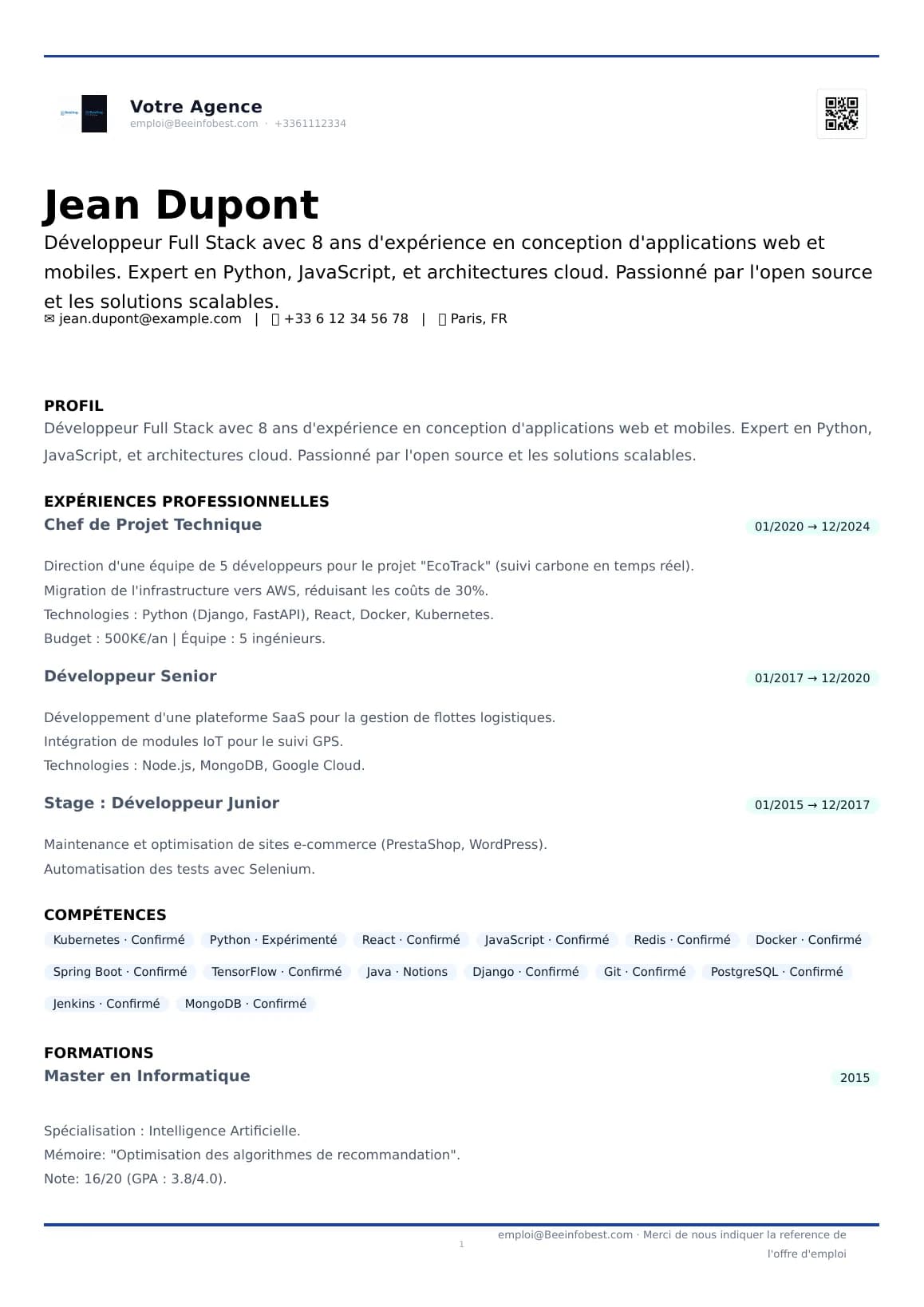
These synthetic examples show a source CV and a PDF generated by CVReaderPro. People and companies are fictional; the sample documents are in English.
The input document used for this example.
A sample PDF produced by CVReaderPro from structured data.
Extract information from the source CV to create a structured profile.
Check experience, education, skills and other profile details.
The template available on the account controls the generated CV presentation.
Create a company-format document from the reviewed profile.
Check the PDF before sharing it with a client, sales team or manager.
The source CV remains the factual reference. Generation formats structured data; it does not verify the accuracy of a candidate’s background.
Configure the presentation options available in the product to standardise candidate CVs for your agency, consulting firm or company.
Customisation adapts the CVReaderPro template. It does not mean an external Word template can be imported or reproduced exactly automatically.
Once candidate data is available in CVReaderPro, generating a company-format PDF is free in credits and available during the trial.
Candidate CV PDF generation
0 credits
PDF generation uses no credits when the feature is available.
If you start with a CV file, extracting it may use credits depending on the parsing mode:
The free trial lasts 14 days, includes 200 credits and does not require a credit card. After the trial, the current public pricing page lists this feature under Enterprise.
A shared presentation format helps recruitment and consulting teams prepare profiles for clients and managers. It suits candidate dossiers from different sources once their data has been structured and reviewed.
Generate a PDF from the candidate profile in the product. To connect this workflow to an ATS or HR system, consult the API documentation and confirm which operations are available for your integration.
No. Generating the PDF uses no credits. Parsing the source CV first may use credits depending on the selected mode.
Yes. PDF generation is available during the 14-day free trial and remains at 0 credits.
Yes. The company logo can be configured in the available presentation settings, along with colours and other supported elements.
One CV template is currently available per account. You can configure it for your company’s presentation.
Importing a Word file and automatically reproducing it exactly are not presented as standard features. You can configure the CVReaderPro template using the options available in the product.
The PDF is generated from the candidate’s structured data. Check the profile details and review the document before sharing it.
The cost depends on the mode: 1 credit per CV for rule-based parsing, 3 credits for AI 56 and 5 credits for AI 96.
Consult the API documentation for available operations and the parameters required for your integration.
Try PDF generation at no credit cost during the trial, with one template per account and a configurable company logo.
14 days · 200 credits included · No credit card · PDF generation at 0 credits